Showing posts with label Animation. Show all posts

Wednesday, 2 June 2021

Major - Submission Post

The Misadventures of Klepto-Man! - Submission Version


Klepto-Man Lighting & Rendering PDF


Making of Klepto-Man


Demo Reels (Character Turnarounds)


The Misadventures of Klepto-Man! - Written Summary

The Misadventures of Klepto-Man is a short with a simple premise, a superhero stops a bank heist, but ends up stealing from the bank himself. The short is heavily inspired by older animations, such as UPA, Looney Tunes, and most importantly, Roger Ramjet, being the main inspiration for the character's design and the general plot structure. 

While the original overall goal of the project was to create a 4 minute animated short, due to multiple circumstances affecting my work flow, the full animation is unfinished, with only only the opening 46 seconds finished. However I still believe much of the goal was met: five original characters have been modeled, skinned, rigged and animated; I have also managed to create a 2D looking artstyle within maya, which was part of the original goal.


Premise Submission: https://tdbucaanimation.blogspot.com/2020/05/premise-final-submission.html

Minor Submission: https://tdbucaanimation.blogspot.com/2021/01/minor-submission-post.html

Thursday, 12 December 2019

Collaboration - Final Submission

Our final submission for the collaboration project is currently up on our group blog: https://naminastudios.blogspot.com/2019/12/collaboration-final-submission-captain.html

Go check it out, if you'd like.

I would also like to point out my contributions to this final submission were:

  • Almost all asset modelling (Except for Black Widow's hair, which was made by Chelsea.)
  • The Black Widow animated skit.
  • Maya character poses and renders in the Art Of
  • Adding the suspension cables in After Effects
  • Final Video Edit

Monday, 13 May 2019

Toolkit 1 - Maya: Animation Principles

Types of Animation

Keyframe Animation


Motion Paths


MEL Scripting


Dynamic Simulation


Animation Principles

Settle & Rest


Secondary Action & Overlap


Squash & Stretch


Anticipation & Follow Through


Rotation & Travel


Walk Cycle

Friday, 23 November 2018

Animation Session 8

In this session, Nat had us create a basic run cycle.
Instead of doing the usual, one side of the screen to the other, she wanted us to do a simple running on the spot animation.
I finished this really quickly.


Animation Session 7

In this session, Nat wanted us to make a new walk cycle. We started by watching Monty Python's Ministry of Silly Walks, then she drag us outside to perform some silly walks to animate.

This was mine.


After that, Nat asked us to draw the cycle out on paper first.
(Not the best quality photo I've ever taken)


After that we began animating.


Not entirely pleased with this one, but I think it's a fair attempt.

Tuesday, 13 November 2018

Animation Session 6

For this session, Nat wanted to start us on walk cycles. Unfortunately, we weren't in our normal room so she couldn't show us her version on the computer. Instead she drew a basic version on the white board and we had to fill in the gaps.


It's a bit jerky and the legs stretch a bit to much, but I'm kinda proud of this.

Friday, 26 October 2018

Animation Session 5

In this session we were tasked with created a Halloween animation using the skills we have learnt from the last few sessions.
I first decided to draw a background in Photoshop, then I actually started on the animation.
My idea was to have a pumpkin jump out of the ground and then bounce down a hill.
I also wanted the moon to pass in the background.


Friday, 12 October 2018

Animation Session 4

In session 4 we continued with the bouncing balls, specifically the stretch and squash ball.
This time we had to add extra features to the ball.
We had to create 3 bouncing characters by the end of the session.
I started with this.
I reanimated the bouncing ball and added googly eyes and arms to it.
I then made this penguin like thing.
And lastly I was trying to make a flame, but I ended up creating a Podoboo enemy from Mario.

Friday, 5 October 2018

Animation Session 3

Today we were bouncing balls.
We started with bouncing a single ball.
This ball was to be slightly cartoony, this was so we could demonstrate squash and stretch.

After this, we then had to bounce three other balls.
We had to bounce a ping pong ball, a tennis ball and a bowling ball.
This exercise was to learn how weight affects the speed that something falls.


I can already see mistakes I made, but at least I understand the basics.

Friday, 28 September 2018

Animation Session 2

In this second session of animation we worked on movement; specifically timing & spacing, and arcs.


The first test was this, "the coin test".
Here we have two circles moving the exact same distance, but the timing and spacing is different.
This is the onion skin for this piece of animation. As you can see the top circle moves in evenly, whereas the space in the bottom circle gets wider. Having more space between frames, gives the illusion that the circle is traveling faster.

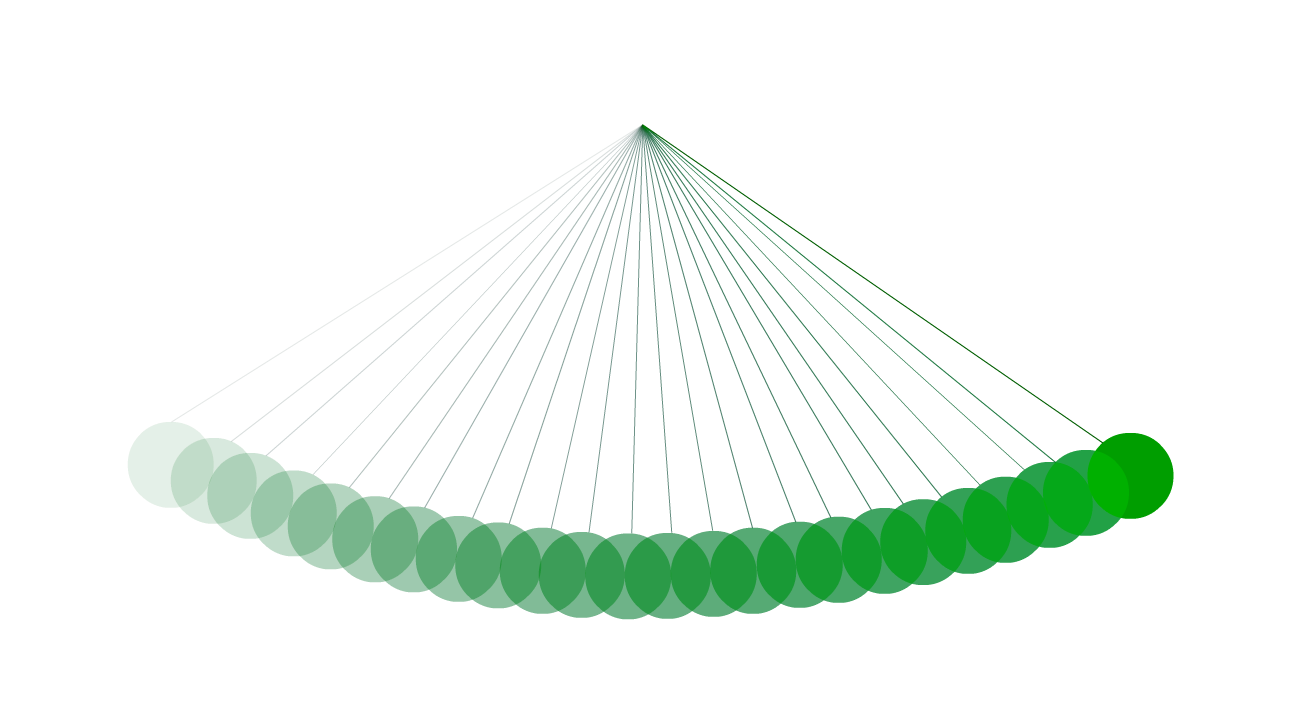
Next, Nat wanted us to create a pendulum.
This is not how to animate a pendulum.
Pendulums work in an arcing motion, whereas this doesn't.

These are pendulums.
These actually move in an arc (which is more clear in the onion skins).


Most things in real life move in arcs more so than straight lines, so its a good thing to cover this as a basic principle of animation.

Wednesday, 26 September 2018

Animation Session 1

For our first session on animation, Nat had us draw our own faces, morph them into our favourite food, then morph the food into our favourite animal and then back into our faces, creating a full GIF.
I decided to draw chicken nuggets and a velociraptor.
It's not perfect by any stretch, but I am quite pleased with this being my first proper go making an actual animation with Animate (Flash).

Major - Reflective Statement

I won't lie, if I really wanted to I could make this reflective statement just be a list of every little detail that went wrong from pre...